 Vero360← Back to home
Marketplace merchant
Start selling on Marketplace
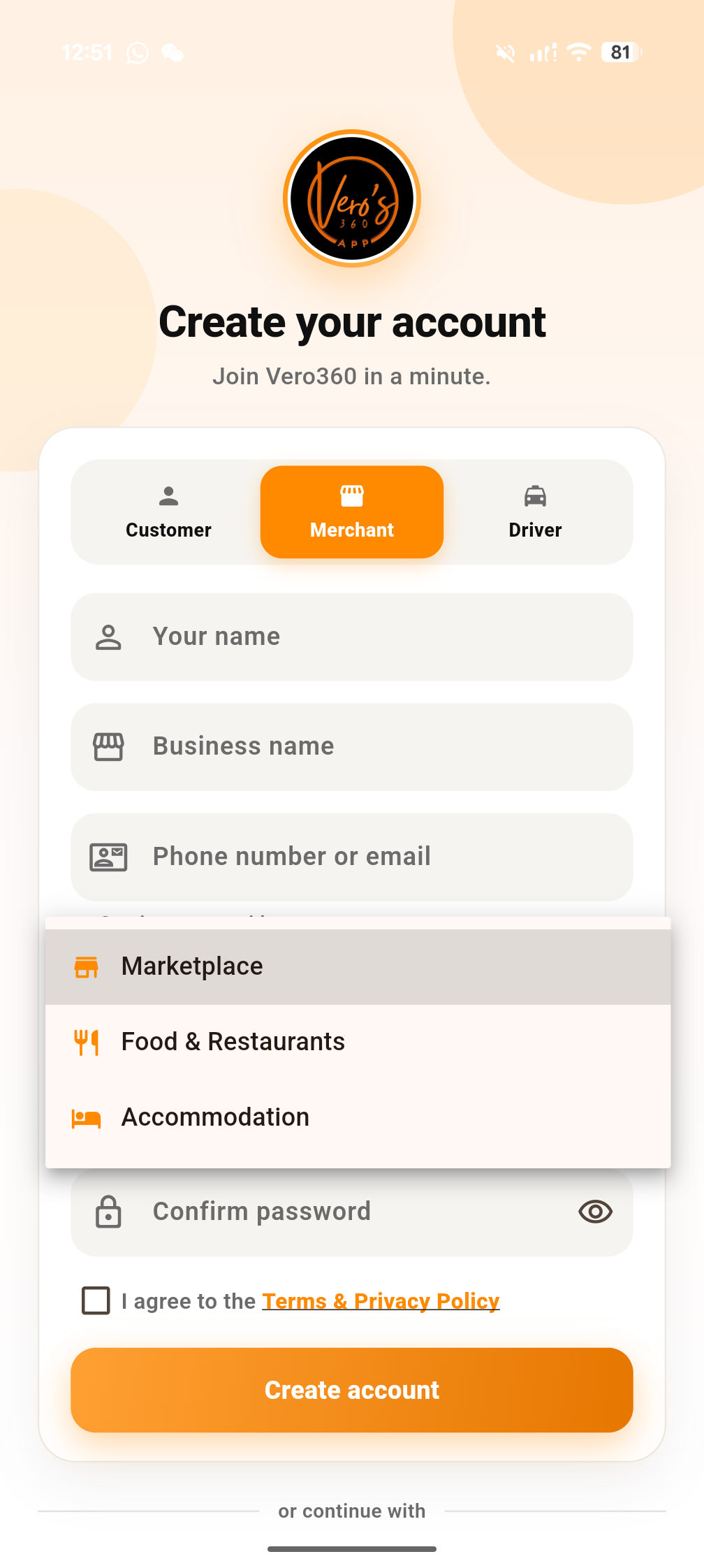
Register as a Merchant in the app, then choose Marketplace under Select your services.
1
Open or download the Vero360 app
Install Vero360 from the App Store or Google Play, then open the app.
2
Select Merchant
On Create your account, tap Merchant (store icon).
3
Select Marketplace
Tap Select your services and choose Marketplace, then finish signup.


Select your services → Marketplace
Prefer a full tutorial? Watch merchant get started video